

Showing posts with label Draco. Show all posts
Showing posts with label Draco. Show all posts
Nov 26, 2011
Draco Complete Movie
To view the completed film, Draco Frightful Fun, please refer to the following link. I learnt a lot doing this film and have improved so much in terms of animation and finding my feet with layout and design. Would not have been possible without the hardwork of Amy & Yolanda. For me, this isn't the last time I will work with Draco and Draak, I have future ideas in mind and will keep you posted; but for the immediate future this is where they will stay.


Nov 1, 2011
Draco Teaser Trailer
Finished our film, Draco: Frightful fun and this is the teaser trailer. World premiere is on 22 Nov in Brisbane with the rest of the awesome films from the graduating class of 2011.
Sep 28, 2011
Animation, animation, animation
Working on cleans for Draco and my life at the moment is an endless cycle of black line chasing the orange in a vain attempt to keep the animation from jitterbugging right off the screen. Daily routine has vanished and over this week long break I wake at 9am start work at 10am then continue through to usually 12midnight or 2am. The cans of V are taking over the desk, but there is a sense that I am achieving things and making an all out effort to move the Draco production along.
Always time for lols though:
Always time for lols though:
 |
| How I feel at 2am when I go to bed and Draco is still on screen |
Sep 1, 2011
Toon Boom Tutorial- Flames

Ok, so just had a run through on how to achieve a funky looking cartoon flame effect complete with afterglow casting around it, so I'm going to write it all down before I forget. Going to be so useful for Draco animation to achieve atmosphere:
- Create a basic flame cycle- can be 1-3 colours
- Open network, drag the GLOW module onto the network.
- Place the GLOW in between the FIRE and the COMPOSITE module.
- Click on RENDER VIEW to check the changes made to the flame during the adjustment phase.
- In the network, click on the properties (yellow square) for GLOW module.
- Settings approximately, radial glow, 7 radius, use source colour
- One adjusted if you find that the shape of the flames are lost, take another network connection from the FIRE module and connect it to the main COMPOSITE module on the left hand side. If you want to over-expose the effect keep taking new connectors from the FIRE to the main COMPOSITE.
- Open network, from module library choose TRANSPARENCY module.
- Create a connector from FIRE module to TRANSPARENCY (FIRE module now has two connectors from it, one to GLOW and one to TRANSPARENCY, these both separately join the main COMPOSITE), click on properties to adjust it, ensure you are in render view to check the adjustments.
Glow of Fire on a Wall or Surrounds:
- Module Library, select and drag HIGHLIGHT module onto the network.
- Connect the HIGHLIGHT in between the BACKGROUND module and the main COMPOSITE module.
- Go to non render screen, create new layer on the timeline on top of background.
- Go to ELLIPSE tool, tool properties click on AUTO FILL option.
- Draw ELLIPSE around the flames.
- Open network, drag the ELLIPSE DRAWING module and put it into the HIGHLIGHT module.
- Open HIGHLIGHT properties, settings suggested: radial, 14-20, to change the colour click on the alpha bar in properties box.
- To animate the highlight on the wall, go to the layer where you drew the ELLIPSE and animate a cycle.
Aug 31, 2011
Animation Has Commenced
It has taken me a little while to get going, but now I'm on a roll and animating like a boss. For a full break down on our progress refer to the Draco movie site tab above. In addition to working on the film, we've had to juggle other assignments and tasks for other subjects. I can see how it easy it would be to keep pushing the film to the bottom of the pile as its due date seems far in the future (although now on paper it is alarmingly near). This weekend will see me animating the rest of my scenes and then continuing to work on essays and a portrait project due for illustration in October. At the moment its simply a matter of more Pepsi Max and taking each assessment as manageable bite sized pieces. Well, that's the plan lol.
 |
| He's ALIIVVVE!! |
Aug 26, 2011
Better.....but still not what i envisioned :(
Better......but more like a panto stage than a 3D environment......will keep working on it....this is a combo of jpeg background and png components at the front......Im not too worried about the outside shots cos they are already giving an illusion of depth....its in the cave where i want them to appear to move amongst the rocks....thats the important bit. These trials are clunky but i'll keep working on em.....


Aug 11, 2011


Jul 4, 2011
Title Cards
In keeping with the vintage feel of our film Draco, these are the title cards that will appear at the start of the film. Just like a vintage cartoon they will fade in and out and the accompanying music will be ragtime played on the piano by me.
![]()
![]()
![]()
![]()


Jun 27, 2011
Promotional Poster Final
First semester was all about leading the audience astray with the promotion of the film Draco, in semester two the promotional posters will now give a sense of the era and style of the animation in the actual film.
![]()

Jun 6, 2011
Concept Art for Draco
A few concept art pieces for Draco. Main aim was to see how the characters 'fit' in their environments and how a particular atmosphere can be portrayed through the setting. A challenge was to get the right level of desaturation to enable the characters to pop and the backgrounds to play a supporting role.


See more here
May 28, 2011
Title Cards
Have been thinking about intro credits for Draco and am loving the homeage to classic cinema and cartoons. In keeping with this idea we're going with simple classic title cards, here's the classic ordering of the cards:


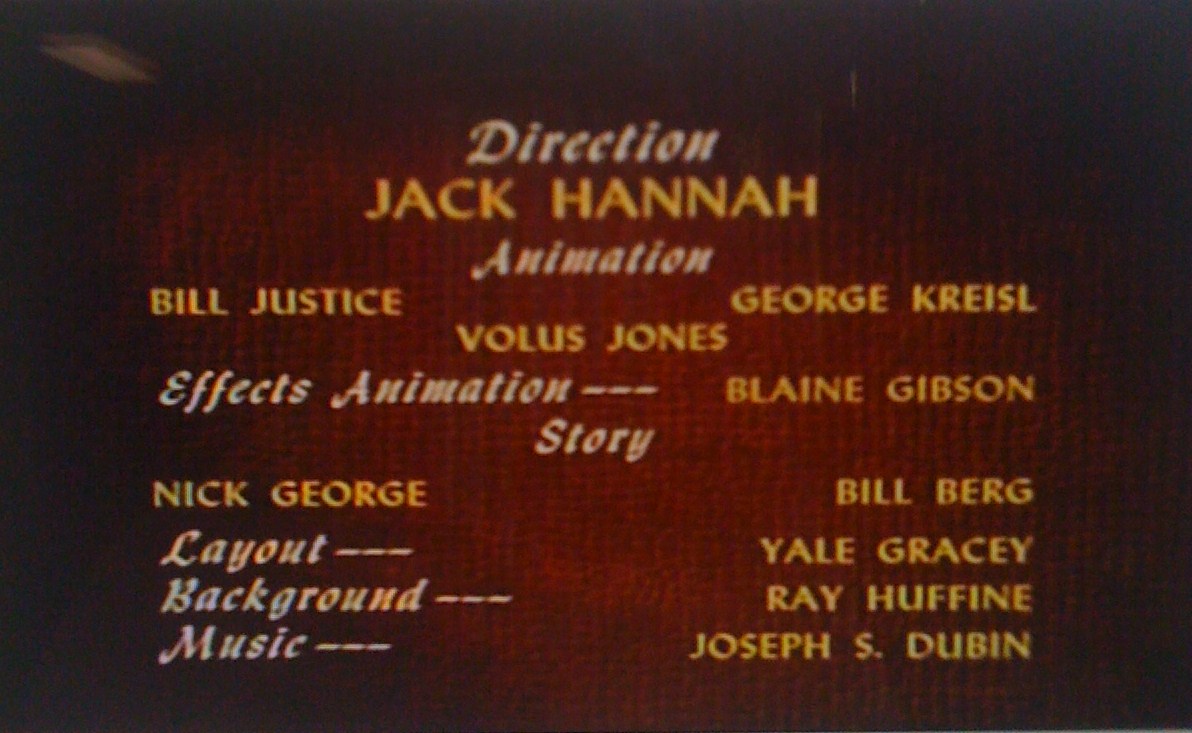


Here's one I did for the opening title card of Draco
Between each of the title cards there is a fade and the ragtime music will complete the overall effect.
May 17, 2011
To Catch a Dragon
Some Draco sketches looking at how the body of a dragon moves when catching or throwing- opening scene sequence will comprise of some sort of game.


 |
| A little too 'showgirl' perhaps? |


Flat Out at Uni
So it's the last few weeks of semester which means that our other subjects have massive assignments due and that of course is edging in on film making time. Progress on Draco has slowed as we attend to other classes, but I have no doubt that it will pick up once again.
I've been exploring character and doing pages of character emotions with good old pen on paper- liberating lol.

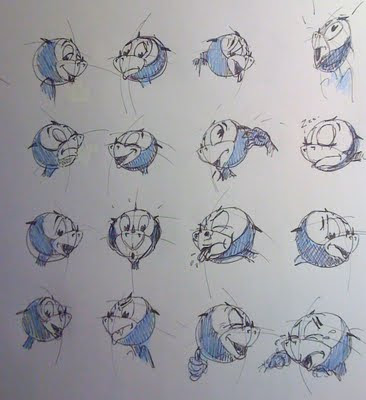


I've been exploring character and doing pages of character emotions with good old pen on paper- liberating lol.


May 5, 2011
Draco Test Walk
Very basic test walk for Draco. Really focusing on creating that vintage look and the sense of weight in the character.
May 3, 2011
Final Character Turn Arounds
Final Character turnarounds- built for walking :)

 When they stand next to each other (height comparison chart coming soon) Draak (the red one) is taller and leaner.


Apr 28, 2011
Draco Character Colours Finalised
Final character colours- love the desaturated colours, perfect for the vintage look of the film- so different from my usual style. Can't wait to see it all falling into place :)


Apr 9, 2011
Promotional Parody Posters for Draco


Mar 30, 2011
Concept Art Backgrounds- Draco 'Disney-esque'
Backgrounds that are more detailed and seem 'denser' in colour saturation:


Character Designs Draco
Working on creating 'animate-able' character designs based on a vintage inspired Draco. Want to establish a character that is both flexible and able to be animated effectively whilst retaining volume and shape; essentially staying on model.


Subscribe to:
Posts (Atom)